Your Reminders, finally planned.
Today, boards and a week view for the tasks you already keep in Apple Reminders.

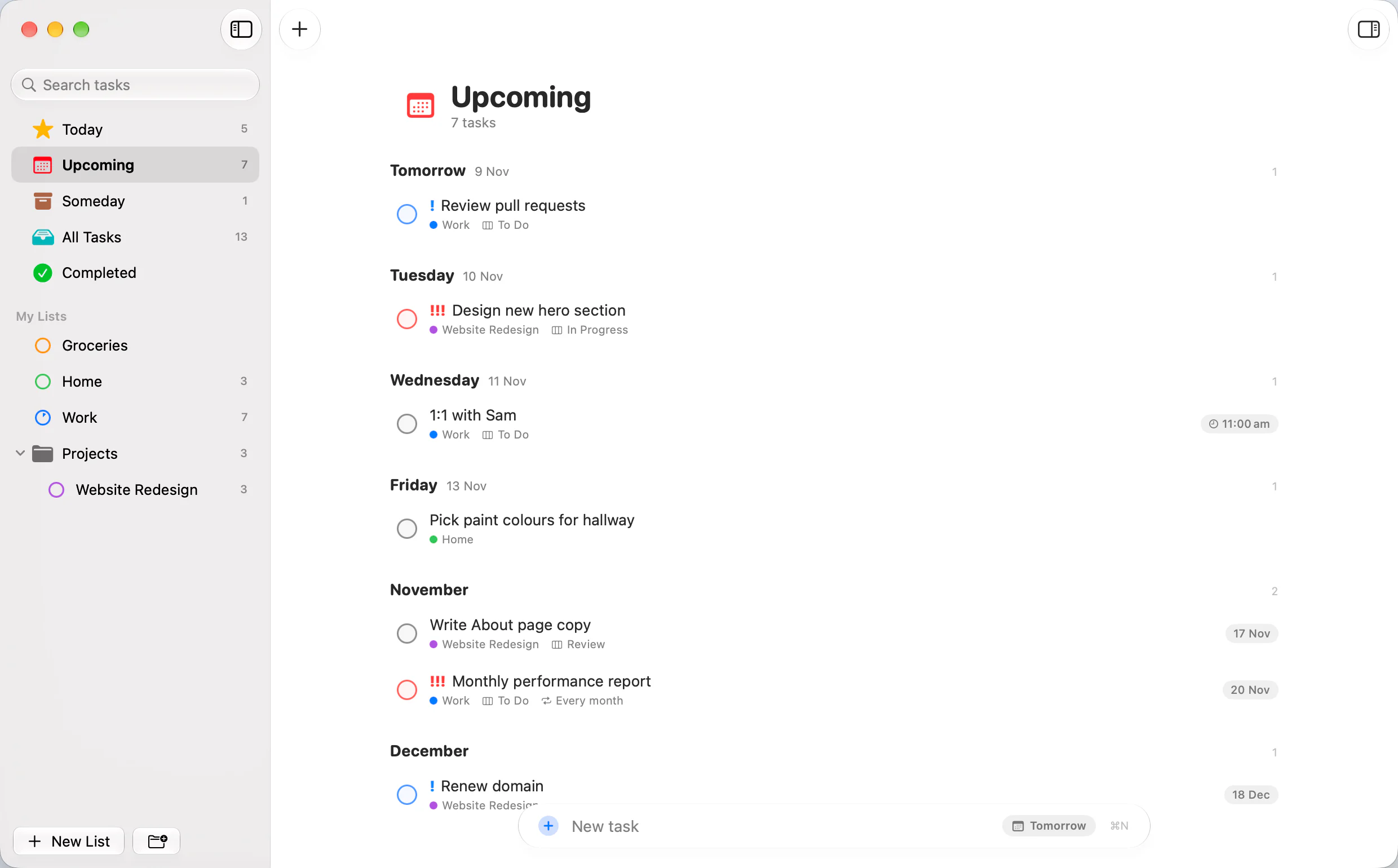
Today
Start with what matters.
- Today, Upcoming and Someday smart lists, plus All Tasks and Completed.
- Overdue stays visible, tinted so it can't hide.
- Details beside the list: date, time, priority, repeat and notes.
- Quick add with a date chip and ! for priority.

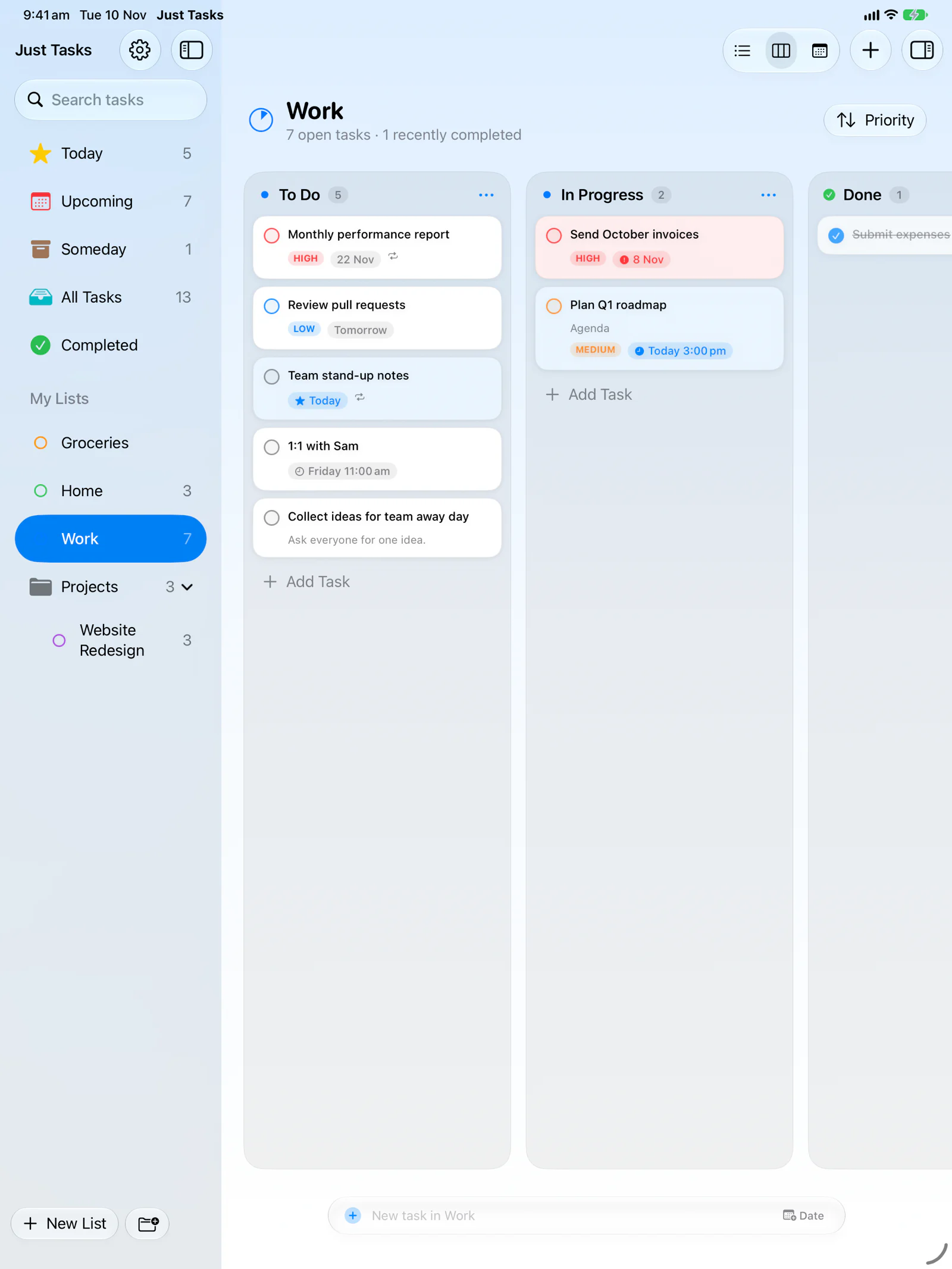
Board
Kanban for any project.
- Your own columns on any list.
- Drop into Done to complete a task; drag out to reopen it.
- Sort by priority, due date or by hand with drag to reorder.
- Columns sync with the task, so the board matches on every device.
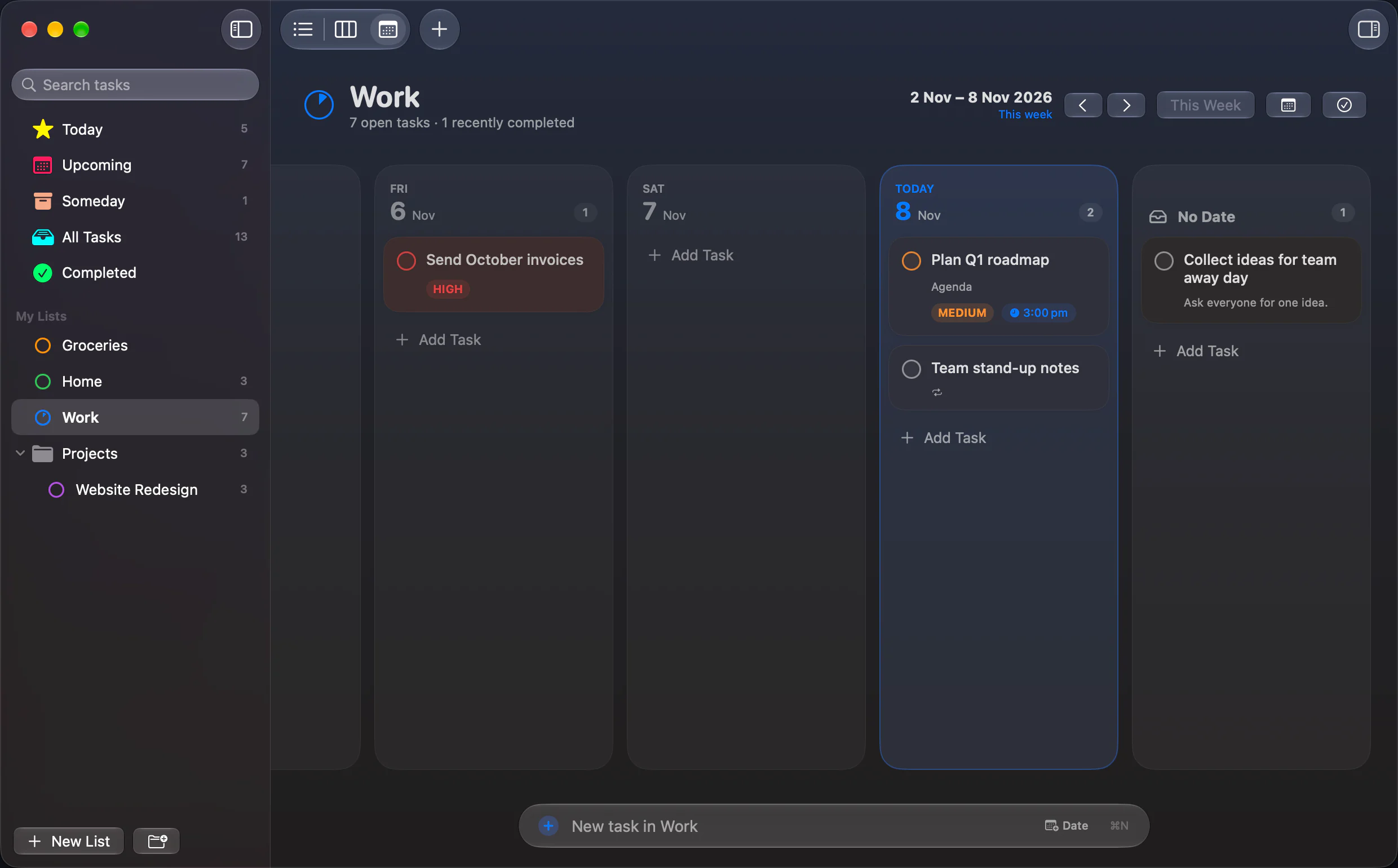
Week
See the week. Move things.
- A column per day, plus Overdue and No Date.
- Drag to reschedule; tasks keep their time of day.
- Jump to any week or back to This Week in one click.
- All Tasks has a week too, across every list.
And the rest.
- Built on Apple Reminders. Nothing to import, no account, works with Siri and Apple Watch.
- Synced by iCloud. No servers; Just Tasks never sees your data.
- Markdown notes with headings, links and tick-able checklists.
- Priorities and repeats, including custom rules.
- Notifications for timed tasks, with Mark as Done and snooze.
- Folders and drag-to-order in the sidebar.
- Hide lists you don't want in Just Tasks.
- Menus and keyboard shortcuts throughout on the Mac.
- Light and dark, down to the app icon.
- Nothing collected. No analytics, no third-party services.
Mac, iPhone and iPad.

Light and dark.